SRE Interview Questions
Site Reliability Engineering interview questions by topic and difficulty - incident response, observability and SLOs, capacity, chaos engineering, the data layer and SRE practices - with answers
SRE Interview Questions
Questions for Site Reliability Engineering interviews, grouped by topic and graded by difficulty: running production incidents, finding where monitoring lies, defining SLOs, planning capacity, testing failure on purpose, keeping the data layer healthy, and the practices and judgment behind the role.
- Beginner: definitions and the “why”; expected of anyone starting in the area.
- Intermediate: how things work and the trade-offs; expected of an engineer who works with them day to day.
- Advanced: senior level; production scenarios across several layers.
- Expert: staff / lead level; design at scale, guardrails for many teams, judgment.
Pick a topic and a level to jump to its questions:
Other interview question banks: DevOps, SRE, Kubernetes, Cloud, Networking, AI Infrastructure, DevSecOps, Cloud Security Architect, System Design, and all questions by domain and difficulty.
Incident Response
Incident Response: Beginner
1What is an incident, and what are the roles in a well-run incident response?Beginner
- An incident is an unplanned event that degrades or interrupts a service for users, or threatens to (e.g. an SLO burning fast)
- Severity levels (SEV1–SEV4) set by user impact decide who gets paged and how fast
- Incident commander: owns decisions and coordination, not the keyboard
- Operations / hands-on lead: investigates and applies the fixes
- Communications lead: status page, stakeholders and customer updates on a fixed cadence
- Scribe: keeps the timeline, which feeds the postmortem
- Lifecycle: detect → triage → mitigate (restore service first) → resolve → blameless postmortem with tracked action items
Incident Response: Intermediate
1Application latency jumps 8×. Every dashboard looks healthy. Walk me through your first 15 minutes.Scenario · Intermediate
- Confirm user impact first: synthetics, RUM, error-budget burn, support tickets
- Scope it: all users or a segment (region, endpoint, client version)?
- Open the incident: incident commander, comms channel, status page
- Ask what changed: deploys, config, feature flags, certs, dependencies, traffic mix
- Dashboards show averages and utilisation; look at p99/p999 per endpoint and saturation (queues, pools)
- Follow one slow request with tracing to see where the time goes: app, downstream, DNS, TLS, LB
- Mitigate before RCA: roll back, flip the flag, fail over, shed load
2CPU 35%, memory 48%, latency +900%. What’s your next signal?Scenario · Intermediate
- Latency without CPU means the service is waiting, not working
- Saturation: connection pools, thread pools, queue depth, file descriptors, ephemeral ports
- CPU throttling from cgroup limits (
container_cpu_cfs_throttled_periods_total) despite a low average - Downstream: DB lock waits, slow queries, cache hit ratio, third-party APIs
- Network: retransmits, conntrack table full, DNS resolution time, TLS handshakes
- GC pauses, lock contention, one outlier pod or node dragging the average
Incident Response: Advanced
1Checkout latency goes 180 ms → 4.8 s. CPU, memory, pods and DB are healthy, there was no deploy, and only APAC users are affected. What first? APAC DNS resolution went 22 ms → 780 ms but still resolves. Is DNS the root cause?Scenario · Advanced
- Find where the healthy path (US, EU) and the failing path (APAC) diverge
- Eliminate whole layers: regional DNS, CDN/edge PoP, regional LB, NAT, cross-region dependency, transit/peering, TLS termination
- Test from APAC vantage points:
dig +trace,curl -wtiming breakdown (dns/connect/tls/ttfb) - Slow DNS may be a symptom: resolver overloaded by retry storms, packet loss on the path, UDP truncation forcing TCP fallback, resolver can’t reach authoritative servers
- Prove it: bypass DNS (
curl --resolve). Is it still slow? - Mitigate: shift APAC traffic to another region or PoP, use an alternate resolver, raise TTLs
2Failures (or playback errors) for only ~3% of users, all in APAC. CPU, memory and pods look fine. Triage plan?Scenario · Advanced
- A small percentage means a subset: one ISP/ASN, CDN PoP, client version, device type, or backend shard
- Slice errors by ASN, PoP, edge node, client version, origin
- Check CDN edge health, the cert chain served by that PoP, BGP/peering changes, geo-DNS mappings
- Compare client telemetry with server logs: if the server never sees the request, the failure is before your edge
- Reproduce with a client on the affected network
3Monitoring says 99.99% availability. Customers disagree. Who’s wrong?Scenario · Advanced
- Usually the monitoring, because it measures the wrong thing
- Measured at server/LB, so failures in DNS, CDN, ISP or the client are invisible
- Shallow health checks (
/health) instead of real user journeys - Averages hide tails and segments; small regions get diluted by big ones
200 OKwith a wrong or empty body still counts as success- Fix: user-centric SLIs (RUM, synthetic journeys, per-segment SLOs, business metrics)
4Everything is 200 OK, but user sign-ups dropped 80%. RCA plan?Scenario · Advanced
- The business metric is the real signal; technical health is misleading here
- Walk the funnel: page load → form → API → email/SMS verification → captcha/payment
- Frontend: JS errors, stale/broken assets on CDN, CSP blocking a script, third-party script (captcha) failing
- APIs returning 200 with an error payload; a feature flag or A/B test misrouting users
- Async: email/SMS provider failing, queue consumers stuck
- Non-tech changes: marketing traffic source, bot-protection/WAF rules
- Afterwards, alert on business KPIs too
5Your database recovered, but the application didn’t. Why might restarting the application make things worse?Scenario · Advanced
- App stuck on stale connection pools, cached DNS for the old primary, circuit breakers open
- Restarting everything at once causes a thundering herd: all instances reconnect, warm caches and run startup queries together
- Cold caches send full load to a DB that has only just recovered
- Readiness flapping, in-flight work lost
- Better: rolling restart with jitter, pool limits, backoff, warm caches, throttle traffic back in
6Your rollback makes the outage worse. Why could that happen?Scenario · Advanced
- Non-backward-compatible DB migration: old code can’t read the new schema or data
- New version already wrote data/messages in a new format
- Caches hold new-format objects
- Config, secrets or flags changed independently and are now out of sync
- Rollback = mass restart, which means cold starts and a thundering herd
- Prevention: expand/contract migrations, rehearse rollbacks, prefer flag-off / roll-forward
7You had HA. You still had 9 minutes of outage. What did your team miss?Scenario · Advanced
- HA components sharing one dependency: DNS, IAM, config store, cert, control plane
- Detection + decision + propagation add up: health-check intervals, failure thresholds, DNS TTLs
- Manual failover step or untested runbook
- Standby not warm or under-sized; quotas not raised
- Leader election / split-brain timeouts
- Clients that don’t reconnect or retry, or that pin connections
- Fix: measure real RTO, run game days, automate failover, consider active-active
8One AZ is slow; other AZs are healthy. Same application, same deployment. Where do you look?Scenario · Advanced
- Infra, not app: cloud health dashboard, noisy neighbours, underlying hosts
- Cross-AZ calls: pods in AZ-a talking to a DB primary in AZ-b
- Uneven load: cross-zone LB disabled, topology-aware routing skew
- Node pool in that AZ: different instance type/AMI/kernel, EBS burst credits exhausted
- Per-AZ NAT gateway saturation, conntrack
- Mitigate: drain the AZ, shift weight away
Incident Response: Expert
1Your rollback script fails during a production outage. You have 5 minutes before an SLA breach. Walk me through your decision.Scenario · Expert
Scenario: a release broke production, the documented rollback fails (an expired token, a missing artifact, state drift, the CI system itself is down), and the clock is running. The interviewer is testing incident leadership: do you keep debugging the script, or step back and restore service by the fastest safe route? The right answer is the second: the goal is to restore service, not to make the rollback script work.
Step-by-step answer:
- Minute 0: take control. Make one person incident commander and one person hands-on-keyboard, and start a timeline. Tell stakeholders now that the SLA is at risk; early, honest communication is part of the SLA conversation.
- Read the script’s error once. If the fix is obvious and takes under a minute (an expired credential, a wrong parameter), do it. Otherwise drop the script. Debugging automation during an outage is how 5 minutes becomes 50.
- Check for data changes before reverting anything. Did the release run a schema or data migration? If so, old code may not work with the new schema, which may be exactly why the rollback fails. Prefer a mitigation that leaves data alone: flag off, or roll forward.
- Minute 1: choose the fastest safe mitigation from a pre-agreed ladder:
- Turn off the feature flag or kill switch for the new code path
- Shift traffic: switch blue/green back to the old environment that is still running, set canary weights to 0, fail over to another region
- Roll back with the platform’s own primitive, bypassing the script:
kubectl rollout undo,helm rollback, redeploying the previous artifact by tag, swapping the load balancer’s target group - Degrade gracefully: shed load, disable a non-critical feature, show a maintenance page for the broken path while the core keeps working
- One change at a time. Make one change, watch user-facing metrics (error rate, latency, synthetic checks) for a minute, then decide the next step. Parallel changes make it impossible to know what worked.
- Minutes 3–5: verify and communicate. “Command succeeded” isn’t recovery; dashboards back within SLO are. Update stakeholders. If the SLA is breached anyway, say so openly: SLA credits cost far less than a hasty action that corrupts data.
- Afterwards: fix the system that failed you. Blameless postmortem: why did the rollback fail (never tested, drift, it depended on the system that was down)? Rehearse rollbacks regularly (in game days, or by rolling back in production as a routine), keep a manual fallback runbook next to the automation, and remove the rollback path’s dependency on the systems most likely to be broken.
What not to say: “I’d fix the script”, “I’d try a few things at once”, or anything that runs an untested destructive command against production under time pressure.
Observability & SLOs
Observability & SLOs: Beginner
1What is the difference between an SLI, an SLO and an SLA?Beginner
- SLI (service level indicator): a measurement of user experience, e.g. the share of requests served successfully in under 300 ms
- SLO (objective): the target for an SLI over a window, e.g. 99.9% of requests over 28 days
- SLA (agreement): a contract with customers, with penalties such as service credits; set looser than the internal SLO so you’re warned before you breach it
- Error budget: 100% minus the SLO (0.1% here), the amount of unreliability you can spend on releases and experiments
- 100% is the wrong target: users can’t tell the difference past a point, and it would stop all change
Observability & SLOs: Intermediate
1Metrics, logs and traces: what is each good for, and which signals do you alert on?Intermediate
- Metrics: cheap numeric time series; good for dashboards, trends and alerting
- Logs: detailed event records; good for the “why” of a specific error, expensive at volume
- Traces: the path and timing of one request across services; good for finding which hop is slow
- Link them: exemplars from metrics to traces, and trace IDs in logs
- Alert on symptoms users feel, not causes: the four golden signals (latency, traffic, errors, saturation), or RED (rate, errors, duration) for services and USE (utilisation, saturation, errors) for resources
- Prefer SLO burn-rate alerts (fast burn pages, slow burn tickets) over static CPU thresholds, which page for things users don’t notice
Observability & SLOs: Advanced
1An SRE says the infra is stable, the dev team says the system is slow, and monitoring shows everything GREEN. Who do you believe, and what do you check first?Scenario · Advanced
Scenario: three sources disagree. The interviewer is not looking for a side to pick. They want to hear that both teams can be right about their own layer, that “green” only means “nothing we chose to measure crossed a threshold we chose”, and that the tie-breaker is the user’s experience, measured.
Step-by-step answer:
- Believe the users and the data, not a team. Reframe it from “who’s right” to “what aren’t we measuring”. Turn “slow” into specifics: which journey or endpoint, since when, which users or regions, how slow (p50 or p99), compared with what baseline.
- Measure from the user’s side. Real-user monitoring (TTFB, page load, Core Web Vitals), synthetic transactions on critical journeys, end-to-end traces. Slowness often lives in the client (a heavy JS bundle, third-party scripts), in DNS or the CDN, or in a single region; server dashboards can’t see any of that.
- Audit why the monitoring is green. Averages hide the tail, so look at p95/p99/p999. Host metrics (CPU, memory) aren’t service health. Thresholds may be loose or stale. The health check may hit
/health, not the real path. Server-side timers start when the request reaches the app, so time queued at the load balancer or ingress is invisible. - Look for waiting, not working. Connection and thread pool saturation, queue depth, database lock waits and slow queries, third-party API latency, retries with backoff that hide failures as latency.
- Look for slow creep. If it got slower gradually, suspect data growth (missing index, table bloat, a cache whose hit rate fell as data grew), not an incident.
- Close the gap permanently. Agree on SLIs per user journey with SLOs (e.g. 99% of checkout requests under 800 ms), alert on error-budget burn rate rather than resource thresholds, and give SRE and dev one shared dashboard so the argument can’t happen again.
2Infra spans very different systems (manufacturing, energy, vehicle telemetry). How would you define SLOs that make sense across them?Advanced
- One framework, domain-specific SLIs: measure what that system’s user cares about
- Manufacturing: line/MES availability, plant-floor latency
- Energy: control-command latency, data correctness and freshness
- Telemetry: data freshness, completeness (% of events delivered)
- Tier services by criticality, with an error budget per tier
- Common template (SLI spec, window, owner, burn-rate alerting); no blanket 99.99%
3How do you build a culture where SLOs (including latency SLOs) are owned and enforced like uptime SLAs, not ignored?Advanced
- Service teams own their SLOs, agreed with product; leadership signs the error-budget policy
- Latency as an SLI: “99% of requests < 300 ms”; slow requests burn the budget like errors do
- Multi-window burn-rate alerts instead of static thresholds
- SLOs on team dashboards; regular SLO reviews; postmortems tied to budget spend
- Real consequences: feature freeze when the budget is exhausted
- Start with a few meaningful SLOs
4How do you set SLOs for both AI inference latency and batch training completion without over-provisioning GPUs?Advanced
- Inference: TTFT, inter-token latency/tokens per sec, p95/p99, availability per model or tier
- Training: completion time vs estimate, goodput, queue wait time, checkpoint success
- Tiered SLOs (premium vs best effort), priority and preemption: training fills spare capacity and gets preempted by inference
- Autoscale on queue depth/concurrency; batching
- Error budgets let you run hotter
Observability & SLOs: Expert
1Design an observability platform for 500 microservices that engineers trust and finance can afford.Expert
- Standardise instrumentation on OpenTelemetry (SDKs, auto-instrumentation, semantic conventions) so every service emits the same shape of data
- An OpenTelemetry Collector layer (agents plus gateways) for routing, enrichment and sampling, so backends can change without touching services
- Control cost at the source: tail-based trace sampling (keep errors and slow requests), log levels and retention tiers, a cardinality budget per team for metric labels
- Golden dashboards and SLOs generated per service from templates, so a new service is observable on day one
- Ownership: every alert routes to an owning team; alerts without an owner or action get deleted
- Measure the platform itself: ingestion lag, query latency, cost per service shown back to teams (showback)
Capacity & Performance
Capacity & Performance: Beginner
1What is the difference between vertical and horizontal scaling, and what is capacity planning?Beginner
- Vertical scaling: a bigger machine (more CPU, memory); simple, but has a ceiling and usually needs a restart
- Horizontal scaling: more instances behind a load balancer; needs stateless services or partitioned state, but scales much further and adds redundancy
- Capacity planning: forecasting the resources a service needs to meet its SLOs at future demand, plus headroom for failures (N+1, losing a zone) and spikes
- Inputs: traffic forecasts, load-test results (capacity per instance), and the service’s limits (database connections, quotas)
Capacity & Performance: Intermediate
1What kinds of load testing do you know, and what does each tell you?Intermediate
- Load test: expected peak traffic; confirms the SLOs hold
- Stress test: push past the peak until something breaks; finds the first bottleneck and how the service fails (gracefully or not)
- Soak test: normal load for hours or days; finds memory leaks, connection-pool exhaustion and log or disk growth
- Spike test: a sudden jump in traffic; tests autoscaling speed, cold starts and queueing
- Use realistic traffic mixes and data, test in a production-like environment, and watch saturation (pools, queues), not only CPU
- Little’s Law (concurrency = throughput × latency) turns a target throughput and latency into the number of workers or connections you need
Capacity & Performance: Advanced
1Marketing just told you a campaign will bring 10× normal traffic in three weeks. How do you prepare?Scenario · Advanced
- Get specifics: which journeys, which regions, the expected peak and its shape (a spike at launch or a sustained plateau)
- Load-test the critical journeys at 10× (and 12–15× for margin) to find the first bottlenecks, usually databases, caches, third-party APIs or quotas, not stateless pods
- Raise limits early: cloud quotas, database connections and instance sizes, CDN and WAF capacity, third-party rate limits
- Pre-scale rather than rely on autoscaling reacting in time; warm caches and load balancers
- Protect the core: rate limiting, load shedding, feature flags to switch off expensive non-essential features, and queue writes that can wait
- A change freeze around the event, an on-call plan with a war room, and dashboards for the campaign’s journeys
- Run a game day beforehand that simulates the peak and a failure during the peak
Capacity & Performance: Expert
1How do you run capacity planning for a fleet of 300 services so you have enough headroom without overspending?Expert
- Model capacity per service from load tests and production data: requests per instance at the SLO, and the limiting resource
- Drive forecasts from business metrics (orders, active users) rather than raw infrastructure trends
- Set headroom by risk tier: critical services keep N+1 zone capacity plus spike headroom; batch and internal tools run lean
- Automate the routine: autoscaling for daily variation, scheduled scaling for known peaks, and right-sizing recommendations fed back to teams
- A quarterly capacity review that compares forecast with actuals, and buys commitments (Savings Plans, reservations) for the stable baseline only
- Share cost and utilisation per service with its owners so the people who can fix waste see it
Chaos Engineering
Chaos Engineering: Beginner
1What is chaos engineering, and why would you break things on purpose?Beginner
- Chaos engineering is running controlled experiments that inject failures (killed instances, latency, lost zones) to learn how a system really behaves
- Complex systems fail in ways nobody predicted; experiments find those weaknesses before customers do
- It also tests the people and processes: do alerts fire, do runbooks work, does failover happen
- It is not random breakage: every experiment has a hypothesis, a limited blast radius and a way to stop it
Chaos Engineering: Intermediate
1Walk me through designing a chaos experiment.Intermediate
- Define steady state with metrics users care about (success rate, latency)
- Write a hypothesis: “If one of three cache nodes dies, checkout success stays above 99.9%”
- Choose the fault and the blast radius: one pod, one instance, then a zone; start in staging, then a small share of production
- Set abort conditions and a stop button: halt automatically if the SLO burn crosses a threshold
- Run it with the owning team watching, record what happened, and turn findings into fixes and tests
- Tools: Chaos Mesh or LitmusChaos on Kubernetes, AWS Fault Injection Service, Azure Chaos Studio, Gremlin
Chaos Engineering: Advanced
1You’re tasked with introducing chaos testing for edge clusters. How do you scope risk boundaries?Scenario · Advanced
- Steady-state hypothesis and SLIs first
- Blast radius: staging → one non-critical site → a small % of nodes; never safety-critical systems while live
- Automatic abort on SLO breach; a kill switch
- Start with known failures: site offline/partition, node loss, latency, disk full, clock skew
- Edge-specific: offline operation and resync
- Agreed windows, stakeholder notice, expand gradually
2How would you test infra chaos and graceful degradation for a big release or a streaming pipeline without risking real user impact?Scenario · Advanced
- Pre-prod with replayed/shadowed production traffic plus load
- In prod: small canary cells, mesh fault injection (delay/abort) scoped to test users via headers
- Verify fallbacks: lower bitrate, cached/static responses, circuit breakers, bulkheads
- Game day with load + failure together; region evacuation drill
- Abort conditions, monitoring and a kill switch in place
Chaos Engineering: Expert
1How would you build a chaos engineering program across an engineering organisation?Expert
- Start with executive support and a clear goal tied to incidents (“we had three zone-related outages last year”)
- Begin with game days run by a small enabling team, then hand teams a self-service experiment library with safe defaults
- Guardrails: experiments run only inside agreed windows and blast radii, with automatic abort on SLO burn, and an approval path for production
- Make it continuous: low-risk experiments run in CI and on a schedule in production, so regressions surface as soon as they appear
- Track outcomes: weaknesses found and fixed, time to detect during experiments, and fewer repeat incidents
- Keep it blameless: findings are system improvements, never a scorecard of teams
Data Layer
Data Layer: Beginner
1What is the difference between replication and backups, and what do RPO and RTO mean?Beginner
- Replication copies data continuously to another node or region for availability; it also copies mistakes (a dropped table is dropped everywhere)
- Backups are point-in-time copies kept separately, so you can go back to before a mistake, corruption or ransomware
- You need both: replication for uptime, backups for recovery
- RPO (recovery point objective): how much data you can afford to lose, measured in time
- RTO (recovery time objective): how long recovery may take
- A backup that has never been restored is a hope, not a backup: test restores on a schedule
Data Layer: Intermediate
1How do Kafka partitions and consumer groups work, and what is consumer lag?Intermediate
- A topic is split into partitions; order is guaranteed only within a partition, and the message key decides which partition a message goes to
- A consumer group shares the partitions among its consumers: each partition is read by one consumer in the group, so parallelism is capped by the partition count
- Consumer lag is how far a consumer’s committed offset is behind the newest message, per partition
- Rising lag means consumers can’t keep up: scale consumers (up to the partition count), speed up processing, or add partitions
- Watch for rebalances (consumers joining or leaving pause consumption) and hot partitions caused by skewed keys
Data Layer: Advanced
1A service depends on Kafka + Redis. Both look healthy, but requests fail intermittently. What’s your debug path before escalating to app teams?Scenario · Advanced
- “Healthy” means the broker is up, not that the client path works; check client-side metrics
- Kafka: consumer rebalances (
max.poll.interval.msexceeded), under-replicated partitions/ISR shrink,NotEnoughReplicaswithacks=all, leader elections, request timeouts - Redis:
SLOWLOG, big/hot keys, blocking commands (KEYS, bigDEL),maxclients, evictions, failovers/MOVED, fork latency from RDB/AOF - Network in between: DNS, conntrack, security groups, TLS cert on one broker
- Correlate failure timestamps with rebalances, failovers, GC
- Escalate with evidence, not a hunch
2A Kafka ingestion pipeline lags by 2 minutes during a traffic surge. Producers are fine, consumers are idle. Debug path?Scenario · Advanced
kafka-consumer-groups --describe: lag per partition- More consumers than partitions leaves extra consumers idle
- Partition skew: a hot key pushes everything into one partition
- Rebalance storms (switch to cooperative-sticky, static membership)
- Consumers blocked on a downstream DB, or on a poison message retrying forever
- Fetch tuning (
fetch.min.bytes,max.poll.records), broker quotas - Fix: more partitions (planned ahead), scale consumers on lag (KEDA), better key distribution
3Sudden tail latency on a Redis-based session store during a peak live event. How do you find and fix the bottleneck?Scenario · Advanced
SLOWLOG GET,LATENCY DOCTOR,INFO commandstats- Hot keys (
--hotkeys) and big keys (--bigkeys); single-threaded blocking commands - Persistence fork latency, swap, eviction pressure
- Connection churn without pooling, TLS handshakes, instance network bandwidth
- Cluster slot imbalance
- Fix: shard hot keys, local cache for the hottest data, read replicas, pipelining, bigger/network-optimised nodes
4S3 replication silently failed for 2 days. Who caught it, and why?Scenario · Advanced
- Honest answer: probably a downstream consumer or a customer, because async replication never errors to the writer
- Causes: IAM role change, KMS key policy on SSE-KMS objects, versioning suspended, rule filter, destination bucket policy/ownership
- Should have caught it: Replication Time Control + replication metrics (
OperationsFailedReplication,ReplicationLatency), EventBridge failure events, a canary object verified at the destination, S3 Inventory reconciliation - Recover with S3 Batch Replication
- Lesson: alert on the absence of success, not only on errors
Data Layer: Expert
1You must upgrade a 5 TB PostgreSQL primary to a new major version with near-zero downtime. What’s your plan?Scenario · Expert
- Options: in-place
pg_upgrade --link(fast, but needs a maintenance window and a tested rollback) or logical replication to a new cluster on the new version (minimal downtime, more moving parts) - With logical replication: build the new cluster, copy the schema, start replication, let it catch up, and validate row counts and checksums on key tables
- Test the application against the new version in staging: query plans, extensions, driver compatibility
- Cut over: freeze writes briefly (or put the app in read-only mode), wait for zero lag, sync sequences (logical replication doesn’t copy them), switch the connection endpoint (DNS or PgBouncer), and resume writes
- Keep a way back: reverse logical replication from new to old for a while, plus fresh backups of both
- Rehearse the whole cutover on a production-sized copy and time each step before the real run
SRE Practices & Leadership
SRE Practices & Leadership: Beginner
1What is SRE, and how is it different from DevOps?Beginner
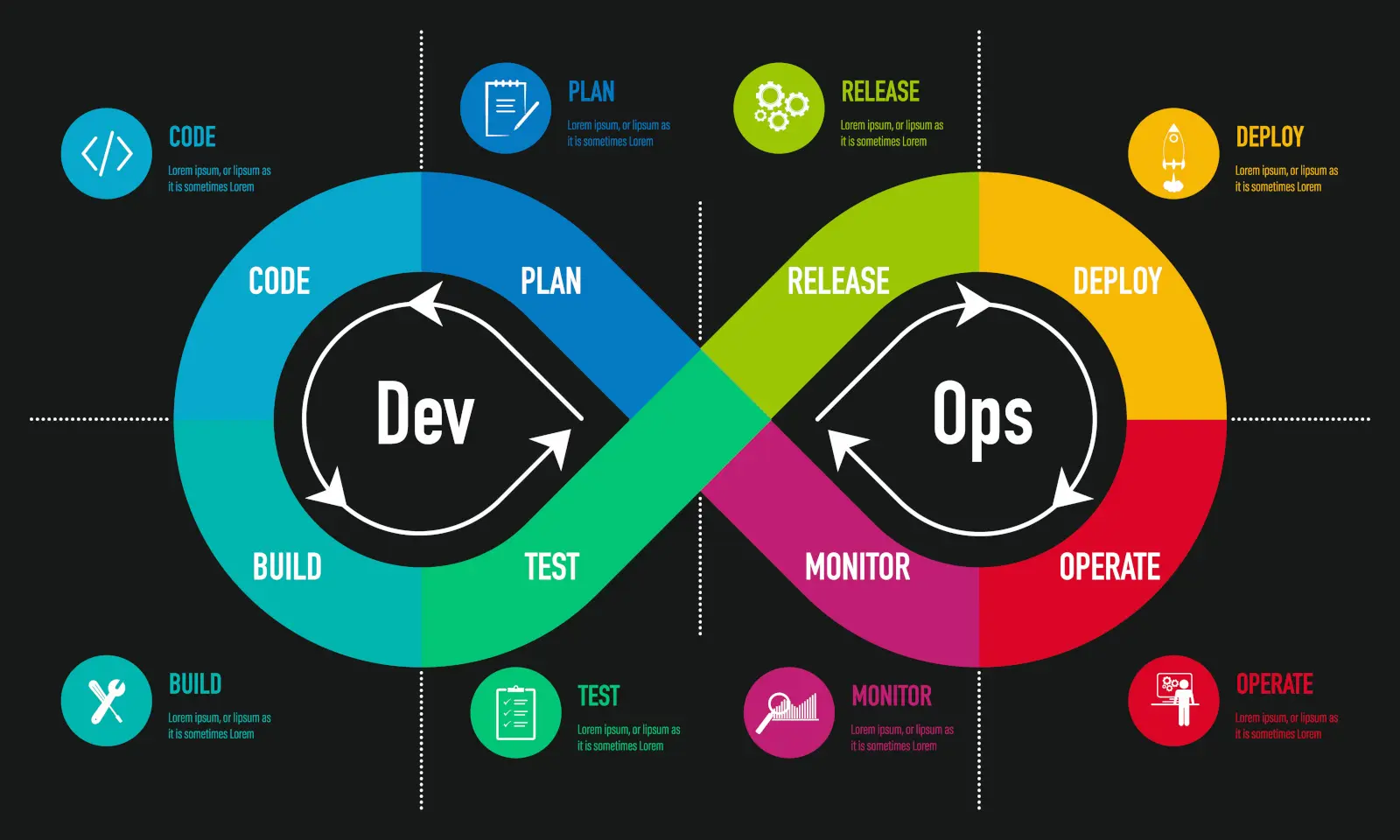
- SRE (Site Reliability Engineering) is Google’s approach of treating operations as a software problem: engineers who write code to run production reliably
- DevOps is a broader culture and set of practices for breaking down the wall between development and operations
- SRE is one concrete implementation of DevOps (“class SRE implements DevOps”), with specific practices: SLOs and error budgets, a cap on toil, blameless postmortems, and shared ownership of production with developers
- In practice the titles overlap; SRE focuses more on reliability, observability and incident response, DevOps more on delivery pipelines and platforms
SRE Practices & Leadership: Intermediate
1What is toil, and how do you reduce it?Intermediate
- Toil is operational work that is manual, repetitive, automatable, reactive, and grows with the size of the service, without lasting value
- Examples: manual certificate renewals, restarting a leaking service, hand-run deployments, answering the same access requests
- Google’s guideline caps toil at about 50% of an SRE’s time; the rest goes to engineering that removes future toil
- Measure it (tickets and pages by category), then automate the biggest categories first, or fix the root cause so the task disappears
- Self-service for common requests, and better alerts so humans only get paged for things that need judgment
SRE Practices & Leadership: Advanced
1Your on-call engineers get 40 pages a week and two of them are close to burning out. What do you change?Scenario · Advanced
- Treat it as an incident: on-call health is a reliability risk
- Analyse the pages: group by alert, service and cause; usually a handful of noisy alerts cause most pages
- Delete or demote alerts that need no action, and convert cause-based alerts (CPU, disk) to SLO burn-rate alerts
- Fix the top recurring causes with engineering time, protected from feature work by an error-budget policy
- Make the rotation sustainable: enough people (6–8 per rotation), follow-the-sun if possible, time off after heavy nights, paid on-call
- Set a target (e.g. under 2 pages per shift) and review on-call load every week with the developer teams that own the services
SRE Practices & Leadership: Expert
1What’s your approach to mentoring DevOps engineers to think systemically, not syntactically?Expert
- Ask how the system behaves and why, not which command to run
- Trace a request end to end; draw the data flow
- Postmortems and “wheel of misfortune” drills as teaching
- On-call shadow, then reverse-shadow
- Fundamentals: Linux, networking, distributed-systems failure modes
- Design reviews focused on trade-offs; give them end-to-end ownership of a service
2How do you prove the ROI of infra modernization to non-technical execs?Expert
- Speak in revenue, cost, speed and risk
- Baseline: outage minutes × revenue per minute, cloud spend, lead time, toil hours
- Translate: faster delivery, protected revenue, engineers moved off toil
- Pilot one service and show before/after numbers
- Phased investment, payback period, and the cost of doing nothing (EOL, security, compliance)
3Tell me about a real scenario where YOU introduced a failure in infrastructure. What happened, what did you learn, and what changed afterwards?Scenario · Expert
Scenario: a behavioural question that many candidates freeze on, because it isn’t about tools. It tests ownership, honesty, how you behave under pressure, and whether you fix systems or just promise to “be more careful”. Senior engineers have broken things; the interviewer wants to hear that you know it, own it and made it less likely to happen again.
Step-by-step answer (STAR + L structure):
- Pick the right story. Real, recent, with meaningful but recoverable impact, and where you personally caused the failure. Avoid trivial stories (a typo in dev) and stories of plain negligence.
- Situation (20 seconds). The system, why it mattered, and your role.
- What you did. Say it in the first person: “I ran…”, “I approved…”. No “we”, no “the tool”.
- Detection and response. How it was noticed (an alert, a customer), how quickly, what you did to mitigate, and how you communicated.
- Impact in numbers. Duration, users or requests affected, any data or cost impact.
- Root cause beyond you. Why the system let a single mistake reach production: no guardrail, plan too large to review, no staged rollout.
- What changed (the “L”). The concrete, systemic changes you drove, and evidence they worked since.
Example answer (adapt it; use your own story):
“I was tightening security groups on a shared load balancer with Terraform. The plan was about 300 lines and I approved it after a skim. It removed the rule that let the ALB health-check the targets in one region, so every target went unhealthy and that region returned 503s for 18 minutes until an alert fired and I reverted the change. Roughly 4% of daily checkout traffic failed. The root cause wasn’t only my review: nothing stopped a rule removal on a production load balancer, and the change went to every environment at once. Afterwards I added a plan summary to every PR that highlights deletions, an OPA policy that requires a second approver for security-group rule removals in production, and a per-environment rollout with an automated smoke test between stages. In the year since, that policy has blocked two similar changes before they reached production.”
Red flags interviewers listen for: “I’ve never caused an outage”; blaming another team or a tool; a story with no real impact; “the lesson was to be more careful” with no systemic change.